



Take control of your relief and prevention routine. The Cefaly app transforms your treatment into actionable insights— revealing your migraine patterns by tracking treatments, symptoms and health data.


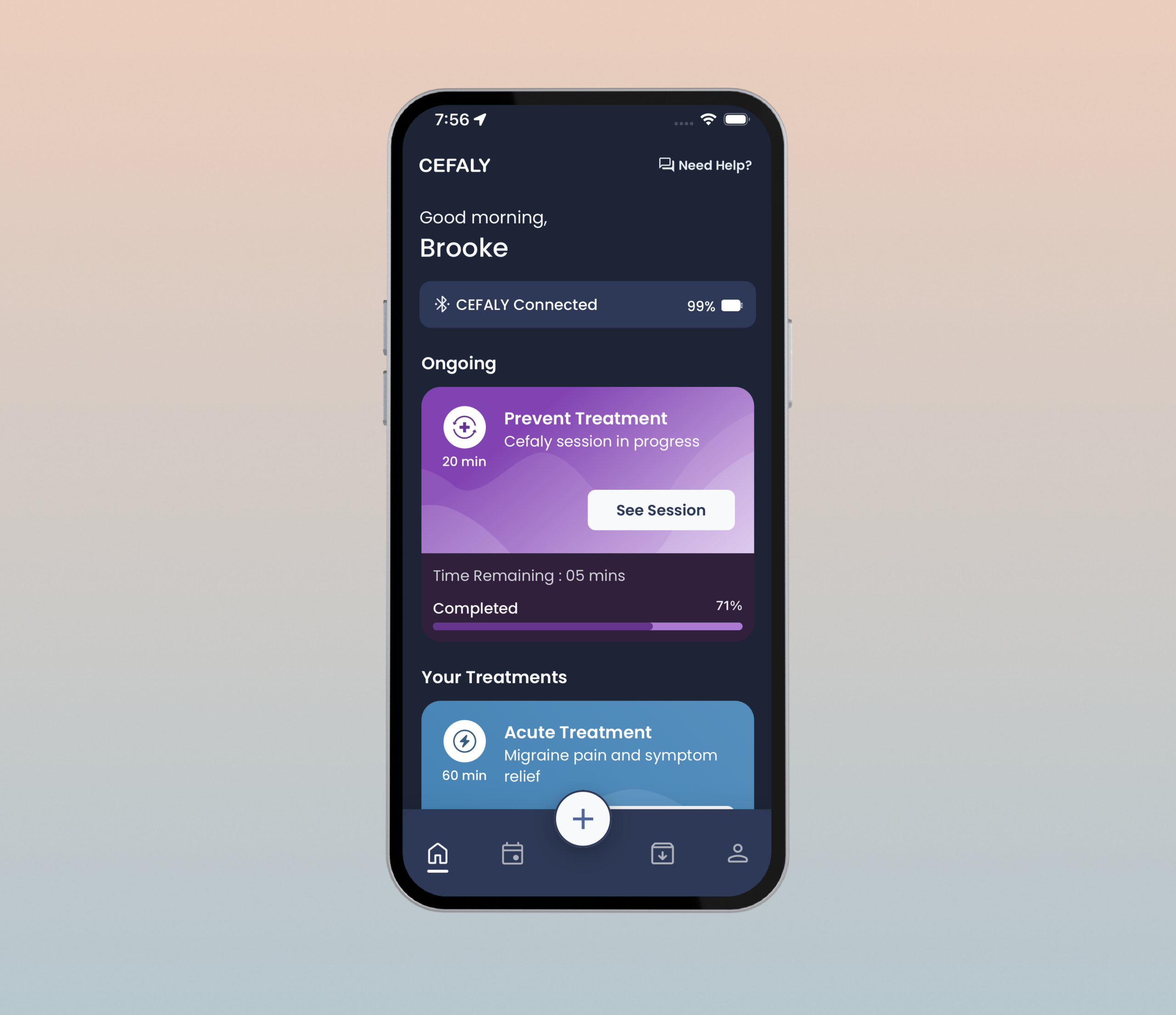
Pair your CEFALY Connected to easily select, adjust, and monitor your Acute or Prevent sessions in real time.
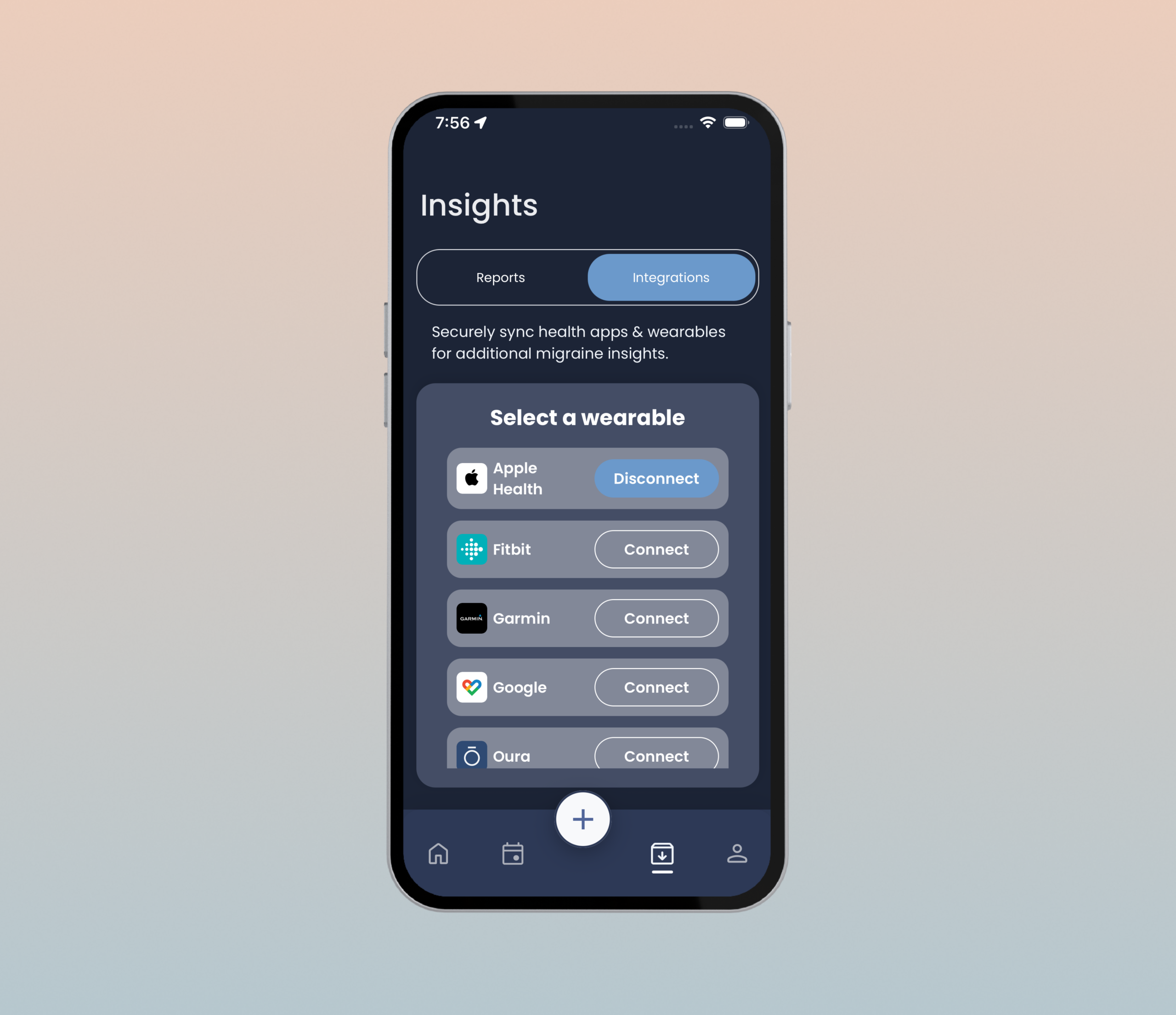
Sync with your favorite health wearables (Apple Health, Fitbit, Oura, Garmin, and more) to see how lifestyle factors like sleep and activity impact your migraine frequency.
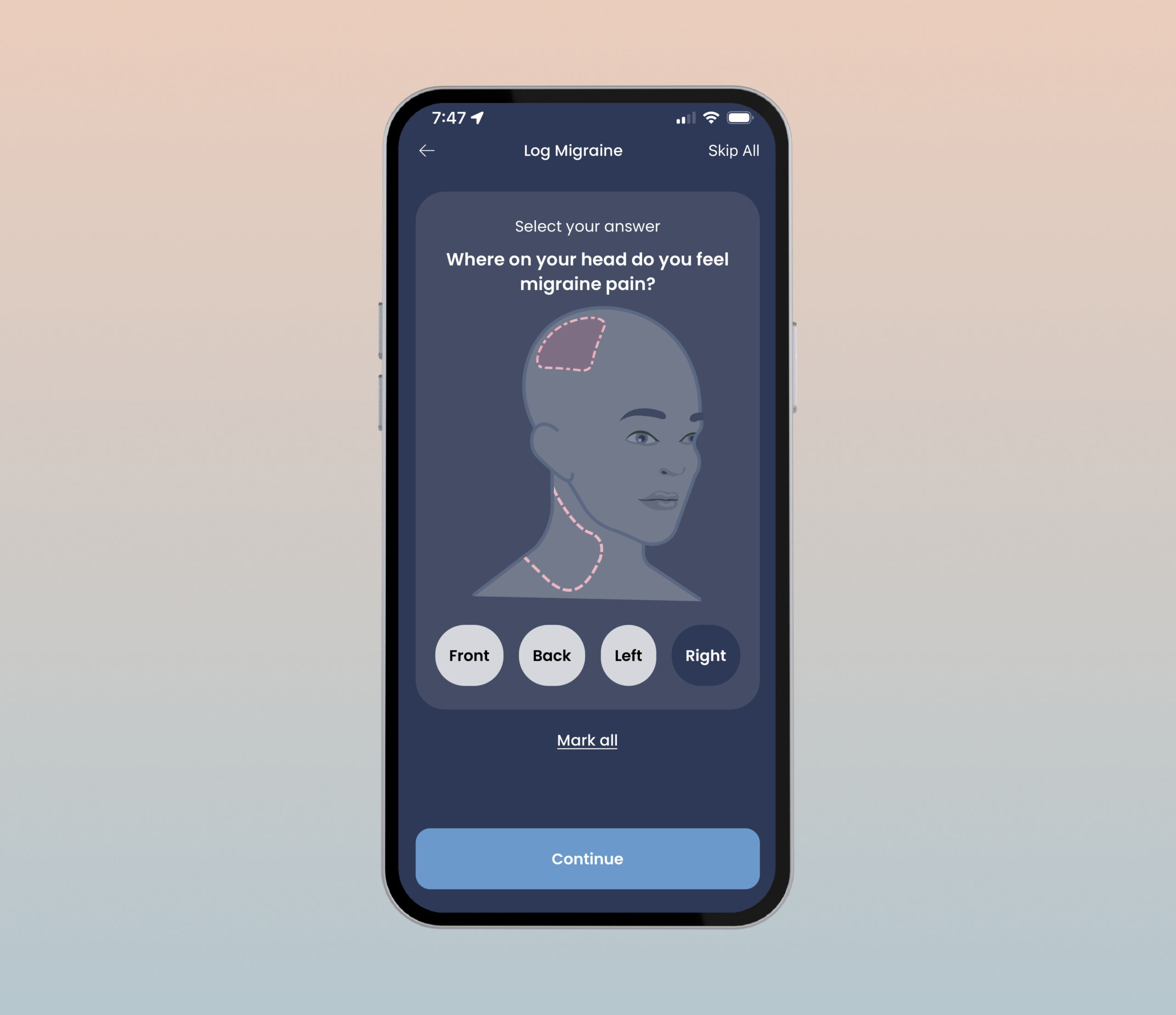
Log attacks and triggers to reveal your unique patterns, helping you identify warning signs before they escalate. Generate personalized migraine reports to share with your healthcare provider.
What’s new in the CEFALY Migraine Relief app?
The new CEFALY Migraine Relief app (formerly CeCe Migraine Management) features:
- Enhanced Controls: Intuitive, migraine-friendly interfaces for both Acute and Prevent treatment modes.
- Smart Wearable Integration: Sync with Apple Health, Google Health, Fitbit, Oura, Garmin and other platforms to correlate your lifestyle data with migraine triggers.
- Weather Alerts: Monitor environmental factors, such as barometric pressure shifts, that may impact your migraine risk.
- Data Visualizations: Track your treatment progress with new, easy-to-read charts and reports.
- Streamlined Pairing: Simpler Bluetooth connection, with real-time signal strength alerts for your CEFALY Connected device.
How do I create an account in the app?
When you first download the app, you will be asked to either sign in or create an account. If you are new to the app, choose how you want to create an account: sign up with email, or sign in with Google or your Apple ID.
How do I connect the app to my CEFALY Connected device?
Ensure you have created and signed into your account before starting.
- Start pairing: Open the app and tap the device status bar on the home screen.
- Wake your device: Press the button on your Cefaly. The light will blink dark blue.
- Enter your PIN: When prompted, enter the 6-digit code found under the magnets on the back of your Cefaly. (The app will save this for future sessions.)
- Confirm: Once connected, your Cefaly will beep and show a solid dark blue light.
What can I learn from tracking my migraines?
Tracking is about learning your migraine rhythms, so you can strengthen your prevention routine. By logging treatments and attacks, you’ll uncover your average intensity, duration, and specific triggers, creating a personalized report you can share with your doctor to guide your care plan.
Why should I integrate my health wearables with the app?
If you already track your health data with Garmin, Fitbit, Oura, Apple Health, Google Health, or another supported platform, you can securely add your activity and sleep data to the Cefaly app.
This can help you learn how lifestyle factors affect migraine. For some people, migraine is triggered by irregular sleep schedules, or getting too much or not enough sleep. Some people also find that regular exercise helps migraine.
How can I get help using the Cefaly app, or share feedback on the app?
For help using the app, contact Customer Support or schedule a free Cefaly Coach call.
If the Cefaly app is helping you, please tell us what you like by leaving a review in Google Play or the App Store.
If you have feedback or suggestions for improving the Cefaly app, please contact us at info@cefaly.us. We’d love to hear from you!
Important: This app is intended for informational purposes only. The Cefaly app does not constitute medical advice or diagnosis and is not intended to be a substitute for professional medical advice, diagnosis, or treatment. Always seek the advice of a physician or other qualified health provider with any questions regarding migraine or any medical condition.